Begin by identifying the single most profitable algorithm for your hardware and discard a generic configuration. For an Nvidia GPU on Ethash, this means flashing a firmware like NVIDIA BIOS Editor to strap the memory timings, a move that can directly increase your hashrate by 4-6 MH/s without altering core clock speeds. This initial, algorithm-specific step establishes a higher baseline for all subsequent tuning, moving beyond simple overclocking into true customization of the card’s memory subsystem.
Your rig demands a configuration that treats memory clock and power limit as interdependent variables. On KawPow, for instance, pushing memory speed yields diminishing returns; the primary target becomes the core clock. A stable configuration for a GTX 1660 Super might be a core clock locked at +150 MHz, a memory clock reduced by -502 MHz to minimise heat, and a power limit set to 80%. This precise combination prevents thermal throttling, ensuring both stability during 24-hour cycles and superior power efficiency, measured in hashes per watt.
True performance gains are found in the sustained application of these algorithm-specific profiles. Customizing your mining software’s batch files or using a controller like Hive OS allows you to switch entire settings suites instantly as you change algorithms. This operational discipline transforms your rig from a static machine into a dynamic tool, where each piece of hardware is precisely tuned for the mathematical workload it executes, maximising its output and longevity.
Choosing Hardware Components
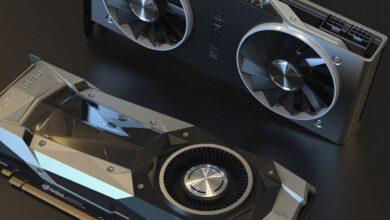
Select your graphics cards based on their performance per watt on your target algorithm, not just raw hash rate. An NVIDIA RTX 3070 often delivers superior efficiency for Ethash-based algorithms, while an AMD RX 6600 XT can be a more economical choice for KawPow, directly impacting your mining profitability through power consumption.
Pair your GPU selection with a motherboard that offers sufficient PCIe lanes and stable power delivery to the slots. A robust power supply unit, operating at 80-90% of its rated capacity, provides essential electrical stability for your rig, preventing crashes during intensive algorithm-specific tuning and overclocking sessions.
Hardware customization extends beyond model selection. Flashing your GPU with a custom firmware can unlock significant efficiency gains by modifying power tables and memory timings. This low-level customization is a prerequisite for achieving optimal performance, creating a stable foundation for subsequent software tuning.
Your final rig configuration is a balance of hardware capability and software control. Use tools like Hive OS or MSI Afterburner for precise overclocking, applying algorithm-specific settings. For memory-hard algorithms like Ethash, focus on memory clock tuning, while core clock and voltage are primary for core-intensive algorithms like RandomX, tailoring your hardware’s performance profile.
BIOS and Core Settings
Flashing a mining-specific BIOS firmware is the single most impactful step for GPU performance. This customization directly modifies the memory timings on your hardware, bypassing vendor restrictions to drastically boost hashrate. For Ethereum Classic (Etchash) on an AMD RX 5700, a modified BIOS can push memory bandwidth, yielding a 5-7 MH/s increase per card. This low-level firmware change is more effective than software-level overclocking alone, but it voids warranties and carries risk–always backup the original BIOS.
Your core voltage and clock configuration must target maximum efficiency, not just raw speed. High performance is useless if power consumption erases profits. For memory-intensive algorithms like KawPow or Autolykos, drastically underclock the core while overclocking the memory to its absolute stable limit. A practical algorithm-specific setting for a GTX 1660 Super on Octopus would be: Core Clock -200 MHz, Memory Clock +1100 MHz, Power Limit 70%. This customizing reduces power draw by 40W per card with a negligible impact on hashrate.
True stability is proven over 24-48 hours of continuous operation, not a 10-minute benchmark. Push your memory overclock until you observe invalid shares or a rig reboot, then step back by 25 MHz. This identifies the precise ceiling for your hardware. The final settings for your rig are a balance; a 2% lower hashrate for a 10% gain in power efficiency and thermal headroom is almost always the correct long-term formula. Document every change–this data is critical for troubleshooting and replicating success across multiple GPUs.
Power and Memory Tuning
Begin by identifying the primary bottleneck for your target algorithm. Memory-bound algorithms like Ethash or KawPow demand aggressive memory overclocking, while core-bound ones like Blake2b require maximum GPU core frequency. Your tuning process must be algorithm-specific; a configuration that yields a 120 MH/s hashrate on Ethash will perform poorly on another algorithm. Use a consistent benchmarking tool to measure changes in both hashrate and power draw, not just one in isolation.
Memory Timings and Voltage Control
For GDDR6 and GDDR6X memory on NVIDIA cards, focus on memory timings through custom firmware or advanced tools like the ETHpill. A 10% reduction in memory latency can translate to a 5-7% hashrate increase without raising power limits. On AMD cards, leveraging the ‘Fast Timings’ setting in your mining software is a direct method for a similar gain. Simultaneously, lower your GPU core voltage. A reduction to 700-750mV on the core, while maintaining a stable clock speed, drastically cuts power consumption with a negligible impact on performance, directly boosting your rig’s efficiency.
Sustaining Stability for the Long Term
Stability is the foundation of profitable mining. After any overclocking or undervolting, run a 24-hour stress test with the actual mining algorithm. Monitor for hardware errors; any rejected shares indicate an unstable configuration. The goal is a flat line of consistent performance, not sporadic peaks. Your final configuration should be a balance where the hardware operates coolly and within its thermal limits, ensuring long-term stability. This often means sacrificing a few megahashes for a rock-solid, error-free operation.
Document every change. Keep a log of your settings, resulting hashrate, power consumption, and any errors for each algorithm. This data-driven approach allows you to build a profile for your rig, making it easier to switch between algorithms with pre-tested, optimal configurations. This meticulous record-keeping transforms tuning from guesswork into a repeatable engineering process.