
Before You Join a Small Browser Project: Check Support and Recovery Paths First

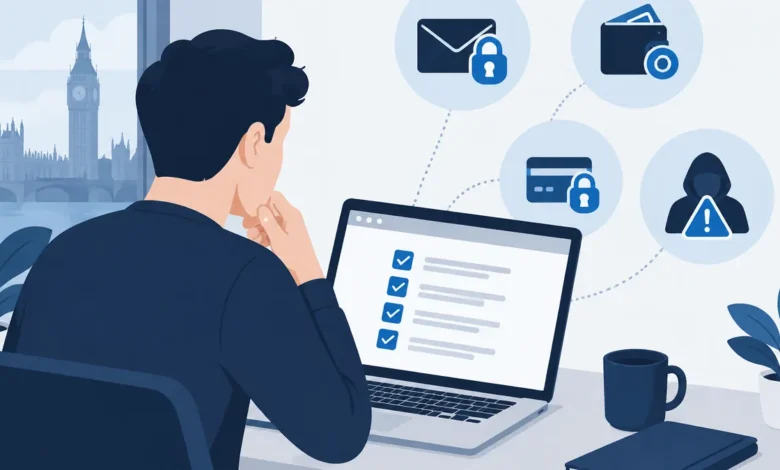
Small browser games, community tools and crypto-adjacent experiences can be enjoyable to explore, but they often ask users to make decisions quickly: create a login, link a wallet, approve a transaction or buy a digital item. The important question is not only whether the front end looks convincing. It is whether you can identify a real route for help if access is lost, a payment goes wrong or somebody impersonates the project.
Support and recovery information is a practical security control. It tells you what can be reversed, what cannot, who is responsible for an account, and how you should report a problem. Checking it before you commit lets you keep the consequence small: you can walk away before connecting a wallet or exposing personal details.
Why a polished landing page is not evidence of support readiness
A branded website can establish that you have found a project’s primary web presence, but it does not by itself prove that customer support, account recovery or transaction assistance exists. For example, https://antrush.uk/ identifies ANT RUSH and displays the positioning “Build. Explore. Conquer.” That is useful for recognising the project’s stated brand. The supplied homepage content, however, does not provide a basis for assuming an email channel, a recovery policy or help with wallet and payment issues.
This distinction matters especially in crypto-adjacent settings. A user may see a familiar logo, a slick game interface and an active social feed, then assume there is a team able to resolve every error. In reality, a browser account, an on-chain wallet and a card payment can be governed by different systems, each with different recovery options.
Treat appearance as an invitation to investigate, not as a security guarantee. Before you register, look for clear answers to basic questions: Is there a support address or form? Does the site explain how to recover a login? Is there an official channel for reporting a compromised account? Are terms, privacy details and rules around purchases easy to find? A smaller project may have limited support capacity, but it should not require users to guess where to send a security report.
Do not confuse a social-media direct message with a support process. Public replies can be useful for general announcements, yet they are a poor place to share account information, screenshots containing personal data, wallet addresses tied to your identity, or any recovery material. A genuine process should make clear what information is needed and, just as importantly, what it will never request.
The minimum support and recovery checks to make before registering
Start with the account itself. Find out whether you are creating a password-based login, signing in through another provider, or using a wallet as your identity. Each model fails differently. With a conventional login, ask whether the site offers password resets, allows you to change an email address, supports multi-factor authentication, and explains what happens if you lose access to the email inbox.
If a wallet signature is used to log in, clarify the boundary between proving control of a wallet and recovering a profile. A project generally cannot restore a lost wallet’s private key or seed phrase; anyone claiming they can is a serious warning sign. It may, however, have a separate off-chain profile, settings or purchase history. Read the relevant wording before you build progress, buy items or attach an email address to that profile.
Check whether the project publishes a concise security or help page, even if the answer is that some actions are final. Useful material normally distinguishes routine questions from urgent incidents, says where official announcements appear, and gives users a way to recognise authorised domains or handles. A response-time promise is less important than having an identifiable, consistent route that exists before an emergency.
- Search the site navigation and footer for support, help, terms, privacy and security information.
- Confirm whether a recovery route is available without first disclosing sensitive information.
- Note the official domain and any named social accounts, then bookmark them rather than relying on search adverts later.
- Use a unique password and multi-factor authentication where offered; do not reuse an exchange or email password.
- Keep a record of ordinary purchase receipts and transaction hashes, but never store a seed phrase in those records.
These checks are not a verdict on whether a project is legitimate or worth using. They are a decision about your own exposure. If the help path is unclear, limit yourself to reading public material or using a low-risk, non-financial feature until better information is available.
How to test a project’s contact and incident-reporting trail safely
Open any support or contact page before you need it. Look for an actionable method: a monitored email address, a ticket form, a documented community channel with stated moderation, or a security-reporting route. Then assess whether it explains the type of issue it handles. “Contact” in a menu is only a label, not evidence that a usable channel is present.
That is why it is worth inspecting the route itself. The supplied content at https://antrush.uk/contact shows ANT RUSH branding and its tagline, but no visible email address, phone number, form or actionable contact guidance. The sensible conclusion is narrow: do not assume a contact URL provides an escalation channel unless you can see one. It does not establish anything broader about the project; it simply means a prospective user should avoid relying on that page for urgent account or payment help.
Test without creating a security problem. You can check whether a displayed address belongs to the project’s own domain, read a form’s privacy wording, and see whether official accounts link back to the same domain. Do not send a test message containing a password, one-time code, ID document, recovery phrase or private key. If you ask a pre-sales question, keep it general and judge the reply by consistency and professionalism, not by a request for confidential details.
Impersonation often appears at the moment a user seeks help. A fake support account may reply first, claim that verification is urgent, or direct you to a lookalike site. The UK National Cyber Security Centre’s Phishing scams: how to spot and report them guidance is a useful reminder to verify unexpected messages independently and to report suspected phishing rather than engaging with it. Navigate from your saved official bookmark; do not trust a link delivered in a reply, private message or advert.
A credible incident route should never require a seed phrase, private key, wallet backup, password or two-factor code. Nor should it ask you to approve an unfamiliar wallet transaction to “verify”, “synchronise” or “unlock” an account. A signature or approval can carry consequences even where no payment screen is obvious, so pause and inspect the request before signing.
Keep wallet access, payments and account recovery separate
Many avoidable losses come from treating every form of access as one thing. Your email account is usually the recovery anchor for ordinary logins. Your wallet controls blockchain assets. Your bank or card provider handles payment disputes under its own rules. A browser project may operate a profile that links some of these elements, but it cannot necessarily repair a failure in each one.
Use a wallet containing only the amount you are prepared to put at risk for experimental or entertainment use. Better still, consider a separate wallet for unfamiliar sites, rather than connecting the wallet that holds long-term savings. This is not a substitute for careful checking: it is a way to reduce the impact if you approve something you later regret or encounter a malicious imitation.
Before paying, establish what you are purchasing and where the record will live. Is it a conventional card purchase, a blockchain transaction, an in-game balance, or access tied to a particular account? Ask whether refunds are described, whether purchases can be transferred, and whether a lost login affects access to a non-wallet item. Screenshot the displayed terms and save receipts, while remembering that a receipt does not give support staff authority to recover a self-custody wallet.
Be particularly wary of anyone offering paid “recovery” after a loss. The Financial Conduct Authority warns consumers about Crypto investment scams, including the risk of follow-on approaches that promise to retrieve funds. Pressure, upfront fees, guaranteed outcomes and a request for wallet credentials are reasons to stop. If a payment or account problem occurs, contact the relevant provider using independently verified details and report suspected fraud through the appropriate channels.
What to do when support information is missing or unclear
Missing information does not automatically prove bad intent. A new or small project may simply be unfinished, volunteer-run or not prepared to support financial activity. But it does change the sensible level of trust. If you cannot identify an official help route and recovery boundaries, do not make the project responsible for anything you cannot afford to lose.
Choose the least-committal next step. You might browse without an account, avoid connecting a wallet, use no payment method, or wait for the project to publish clearer documentation. If you do create a basic account, use a unique password and an email address you can secure well. Do not reuse credentials from an exchange, banking service or primary email account.
If you have already connected a wallet and become concerned, do not act through a link sent by an alleged helper. Go directly to the wallet provider’s official documentation, review connected-site permissions and token approvals carefully, and remove permissions only when you understand the effect. Move remaining assets according to your own security plan if you believe keys or recovery material may be exposed. For a compromised ordinary login, change the password from a trusted device, secure the associated email account, end other sessions where possible, and document what happened.
A useful personal rule is simple: no clear support route, no meaningful value. The discipline may feel cautious when a project is exciting or time-limited, yet it protects you from making an irreversible decision in a situation where nobody has shown they can help. Support readiness is not an optional extra after joining; it is part of deciding whether and how to join at all.